Your day
A clear view of today. Everything else is safe.
Four lists, one short check-in each morning, and a backlog that comes back to you a few at a time. Built to take things out of your head, not to make you feel behind.
1 · Inbox
Get it out of your head, the moment it comes up.
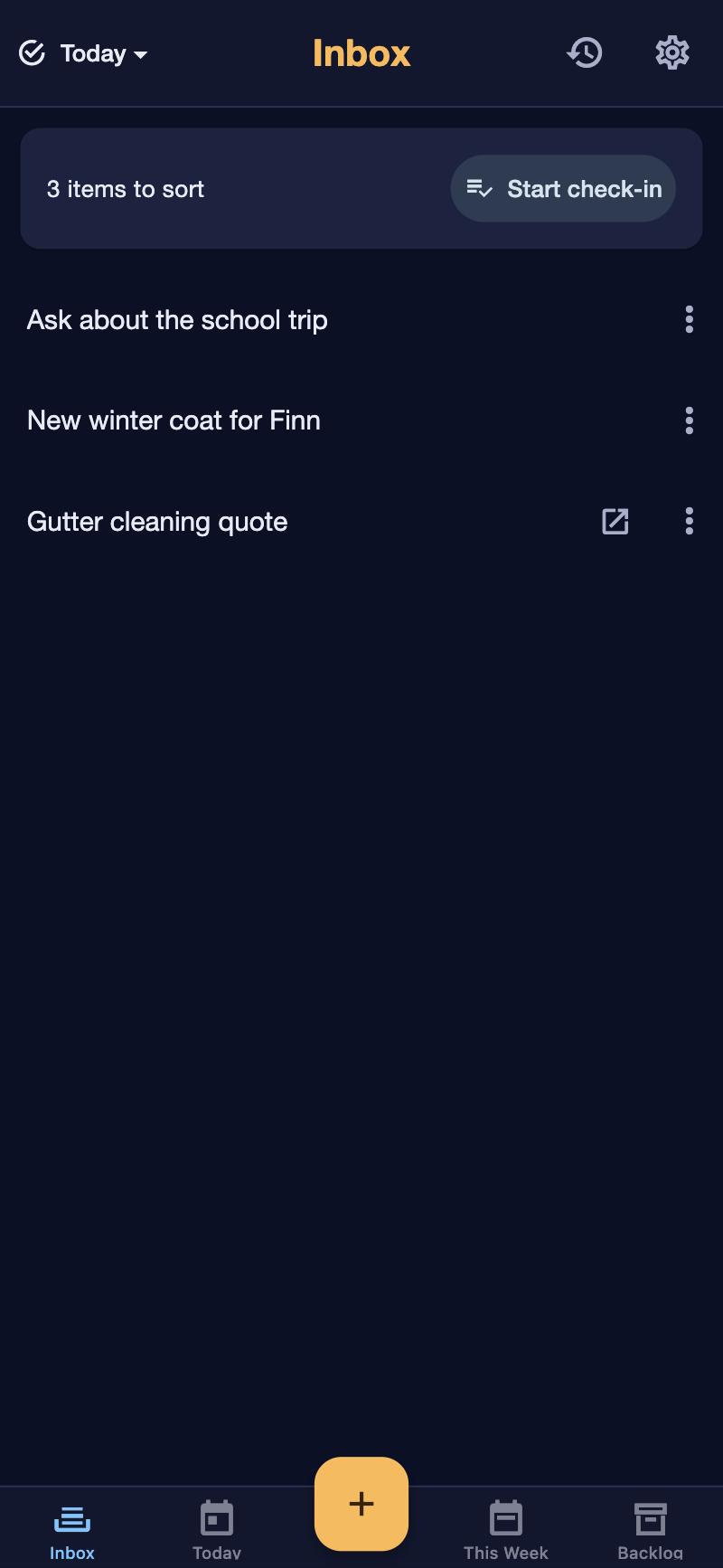
Type a few words and it's safe. No list to choose, no date, no priority: sorting is for later. The Inbox is the one place things land, so you never wonder where you put something.
- A title and, if you want, a link: “Order the birthday present” with the shop's page.
- Paste a list from your notes app and it becomes items, headings and ticks included.
- Things the household needs from you land here too, with the reason: “Approve: Sam washed the car”.
2 · Morning check-in
Choose today, as much as your day can take.
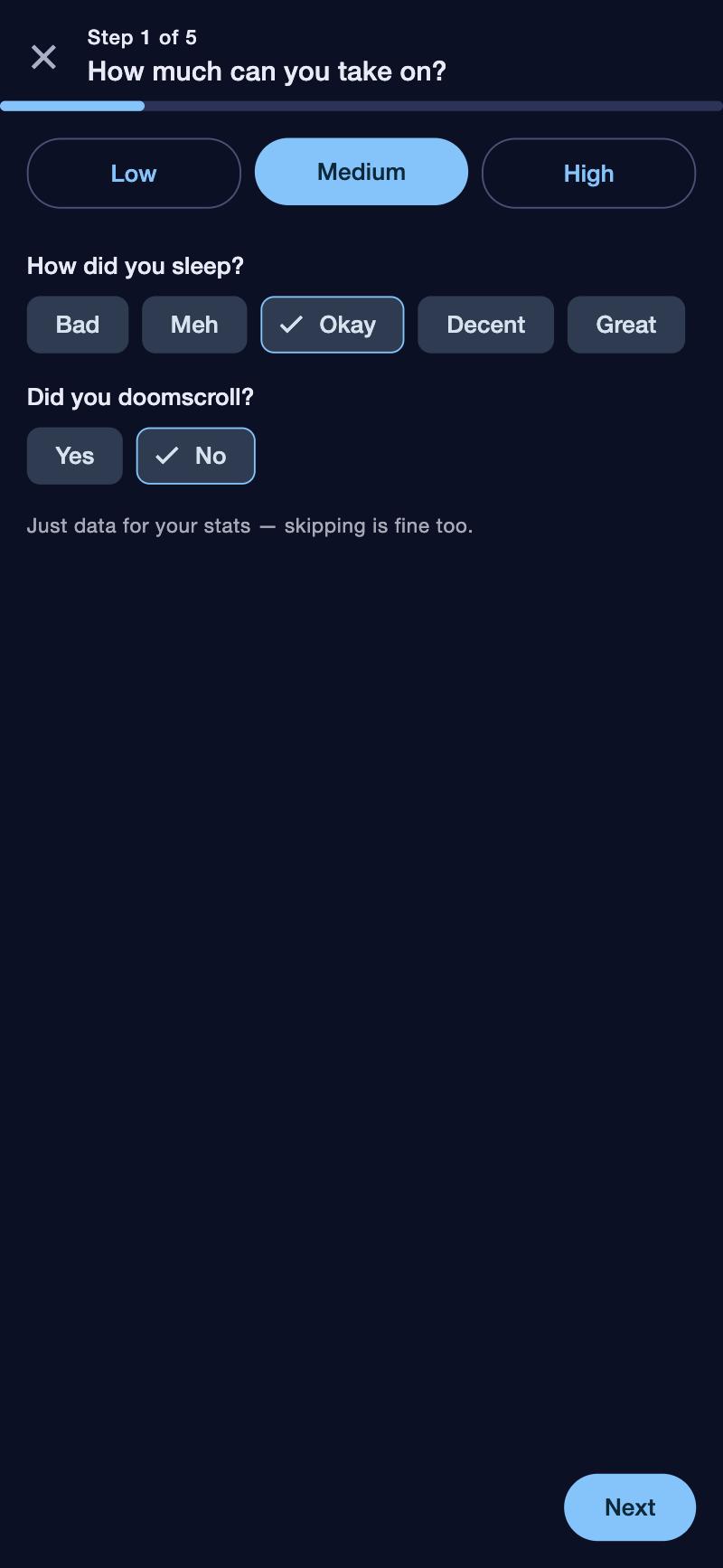
A short check-in each morning. How much can today take: low, medium or high? It suggests that many things, you pick, and the rest can wait. Over time it learns what you actually finish on a low or a busy day.
- Tonight's dinner in the same glance: what needs prepping, buying fresh or the oven.
- Optional and quick: how you slept and whether the evening disappeared into scrolling, for your own patterns.
- Something you keep moving on? Turn it into something smaller: “find a body double”, make it a project, or leave it for this morning.
3 · Today & This week
Today shows today. This week keeps the rest close.
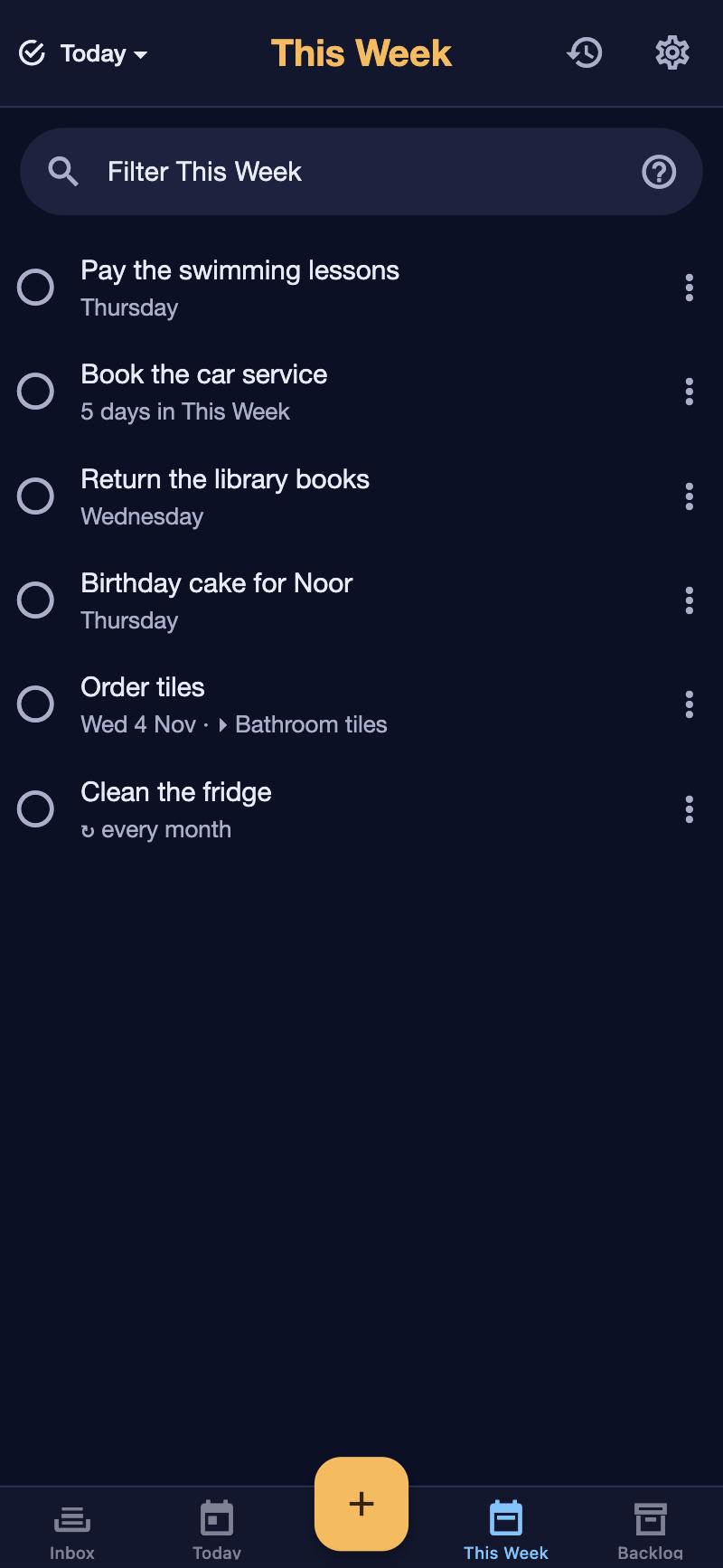
Today only holds what you chose this morning. This week keeps what matters soon in view without crowding it. Anything not done tonight simply moves on to tomorrow's check-in: nothing turns red.
- Dates are optional: a deadline, or “around Friday”. A dated item in the Backlog comes to your Inbox three days before, so nothing passes quietly at the bottom of the pile.
- “Why it matters” instead of a priority, if that works better for you, or no priority at all.
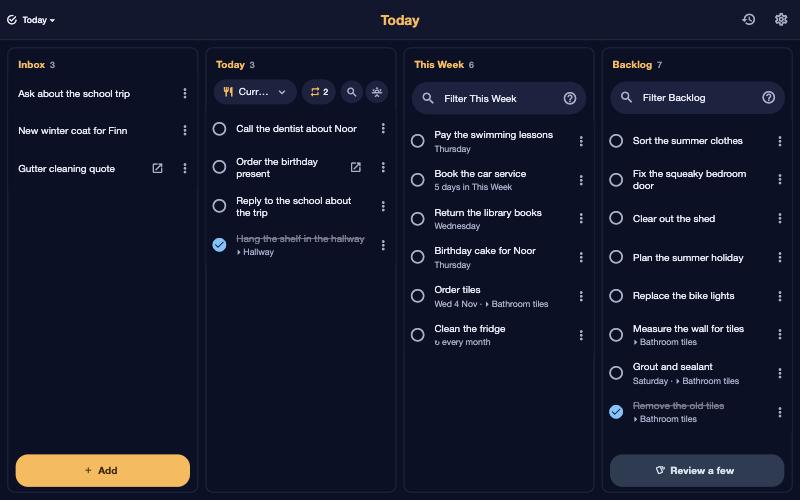
- On a laptop or tablet: a board with all lists side by side; drag things between them.
- Find anything with a forgiving filter: typos are fine, and words like
project:hallwayorfrom:octobernarrow it down.
Quiet nudges
Notice what keeps slipping, without being told off.
Every time something moves on, a counter you never see goes up. From the second time, a small amber dot appears. That's all: no badge, no alarm, no “overdue”. You see it, and you decide.
- Notifications in the tone that works for you: direct, gentle, invitational, playful or stern.
- A reminder of your own routine at the time you choose.
- A short celebration when you finish things. Optional, of course.
4 · The backlog review
Never face the whole pile. Look at five.
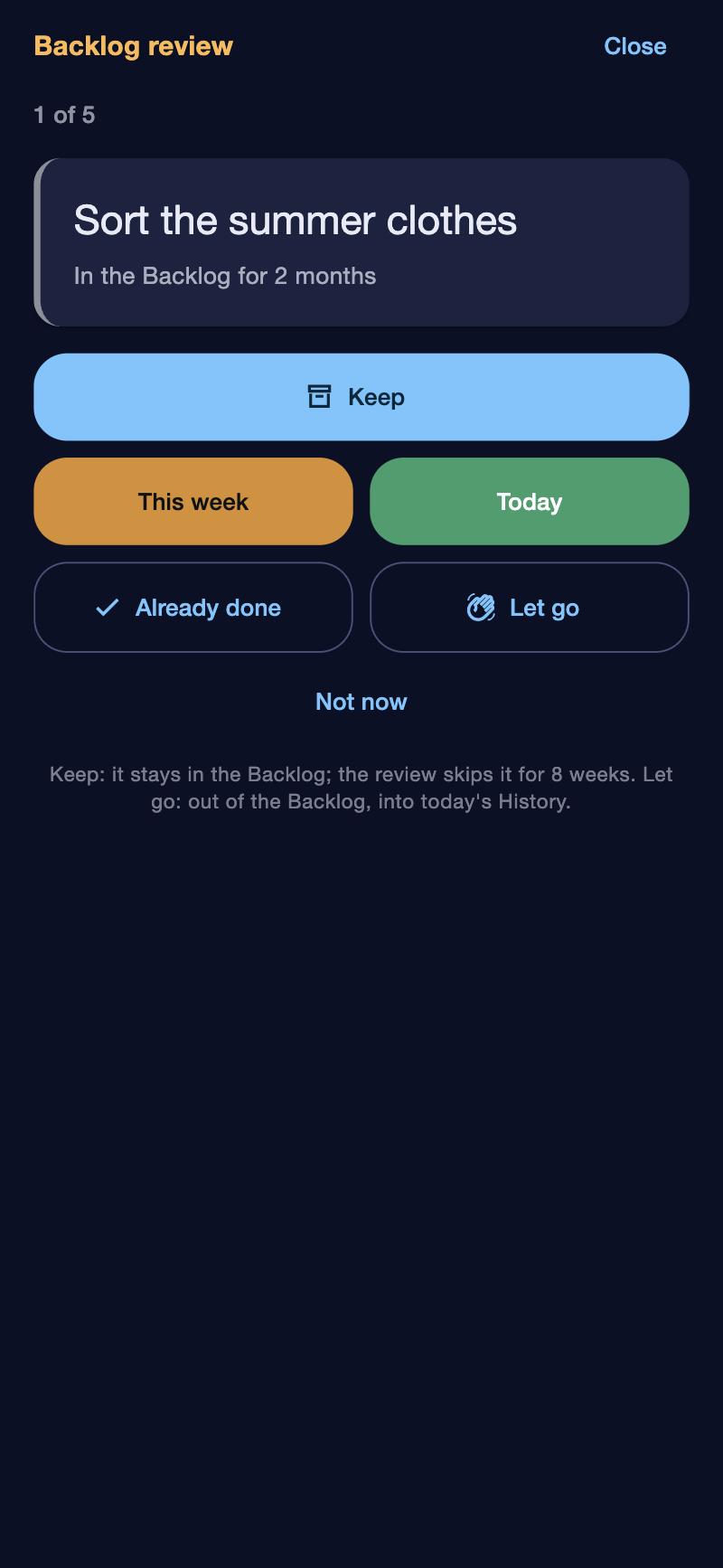
The backlog holds everything that can wait, with no expiry. Once a week you get a note: look at a few. Five at a time, one card each, and for every one a single tap.
- Keep: it stays, and won't come back for a few weeks.
- This week or Today: bring it closer.
- Already done: it moves to History.
- Let go: out of every list, with Undo. It's still in History, so nothing is lost.
Repeats & bigger jobs
Things that come back, and things that are bigger than one item.
Give an item a repeat and the next one lands in your Inbox once it's done: never two open copies, never a pile of missed ones. A bigger job becomes a project, with all its items together.
- Every week, every two weeks, every month, every three or six months, every year: the next one comes when this one is done.
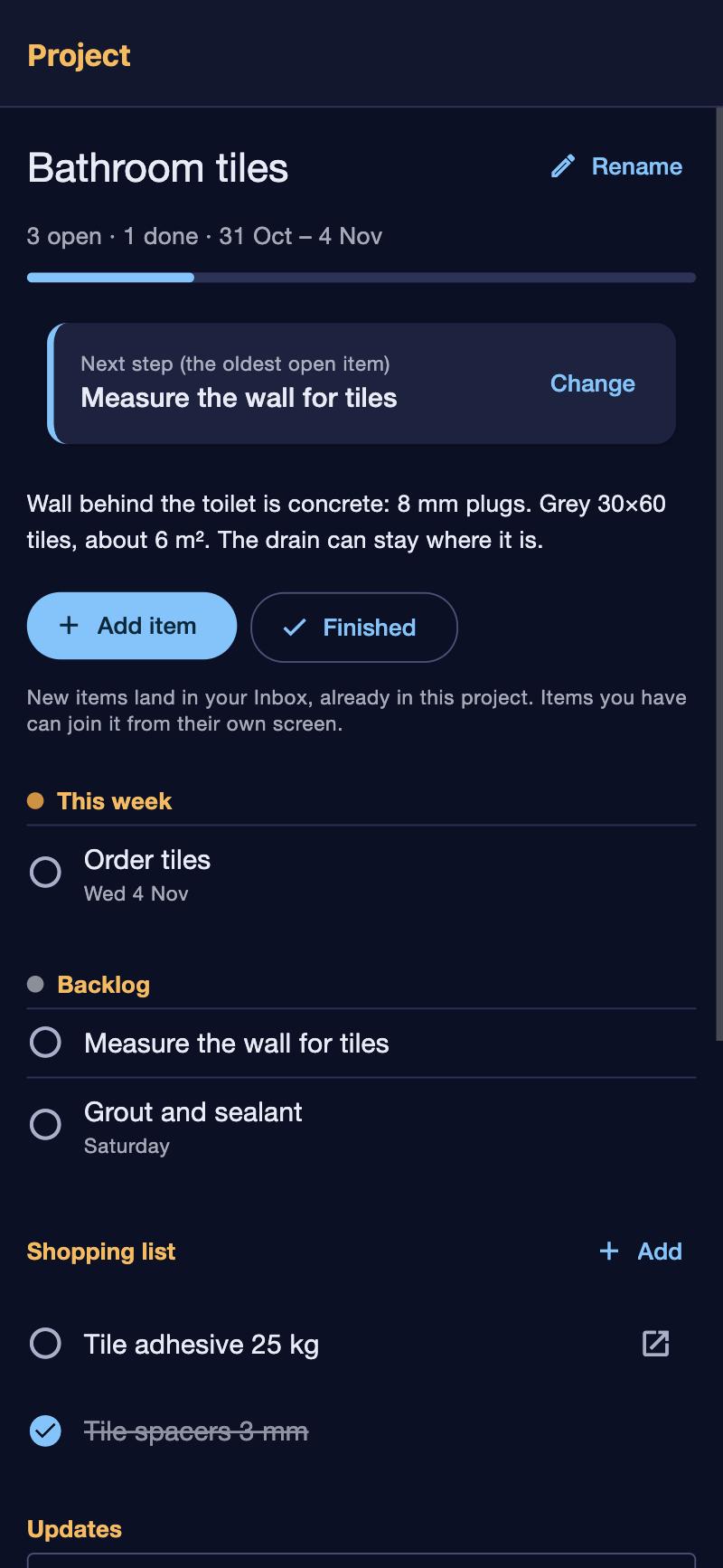
- Projects keep their items, a description, updates and a shopping list together. More on projects.
- History shows what you finished each day, including what you let go.
Your week
See what you did, never what you didn't.
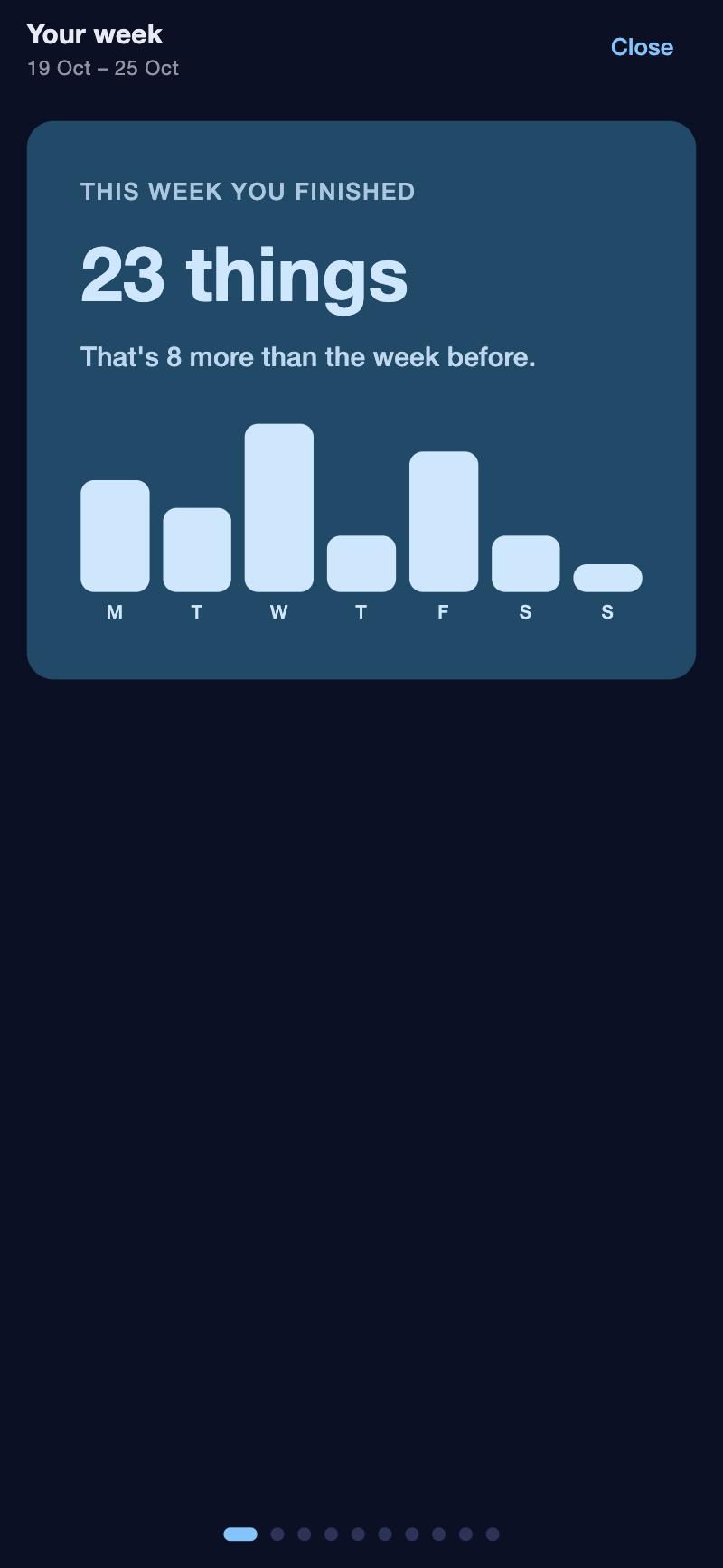
Every Monday, a short wrap-up of last week: what you finished, your best day, the thing that waited longest and finally got done, how many mornings in a row you checked in, and the household's chores, jobs and dinners. Gentle on quiet weeks. To look further back, Patterns shows how capacity, sleep and finished things relate.
- “Your week” arrives as a notification when it's ready.
- Patterns over eight weeks: what you planned against what got done, which days slip. Handy to bring to a coach.
- Only patterns and counts, never what your items say.
Everywhere you are
On your phone, your laptop and your wall.
An app for iPhone (Android is on its way) and the same thing in any browser. A widget shows today on your home and lock screen. And “My day” puts your own day on a screen of its own, like a second monitor at your desk.
- Updates arrive by themselves: no reinstalling.
- Links in items open with one tap.
- Three looks: Nightsky, Forest and Daylight.
- Connect an app on your computer to capture and tick off without switching.
Don't solve tomorrow today.
Want this at home?
Would this help your household? Tell us. It takes a minute, and it decides whether this gets built for everyone.