Chores & routines
Who does what, which day. Without asking twice.
A simple table of chores, routines that remember whose turn it is, and paid jobs the kids can pick up themselves. Everyone sees their own part, on the kitchen wall or in the app.
The chores table
One table, the same every week.
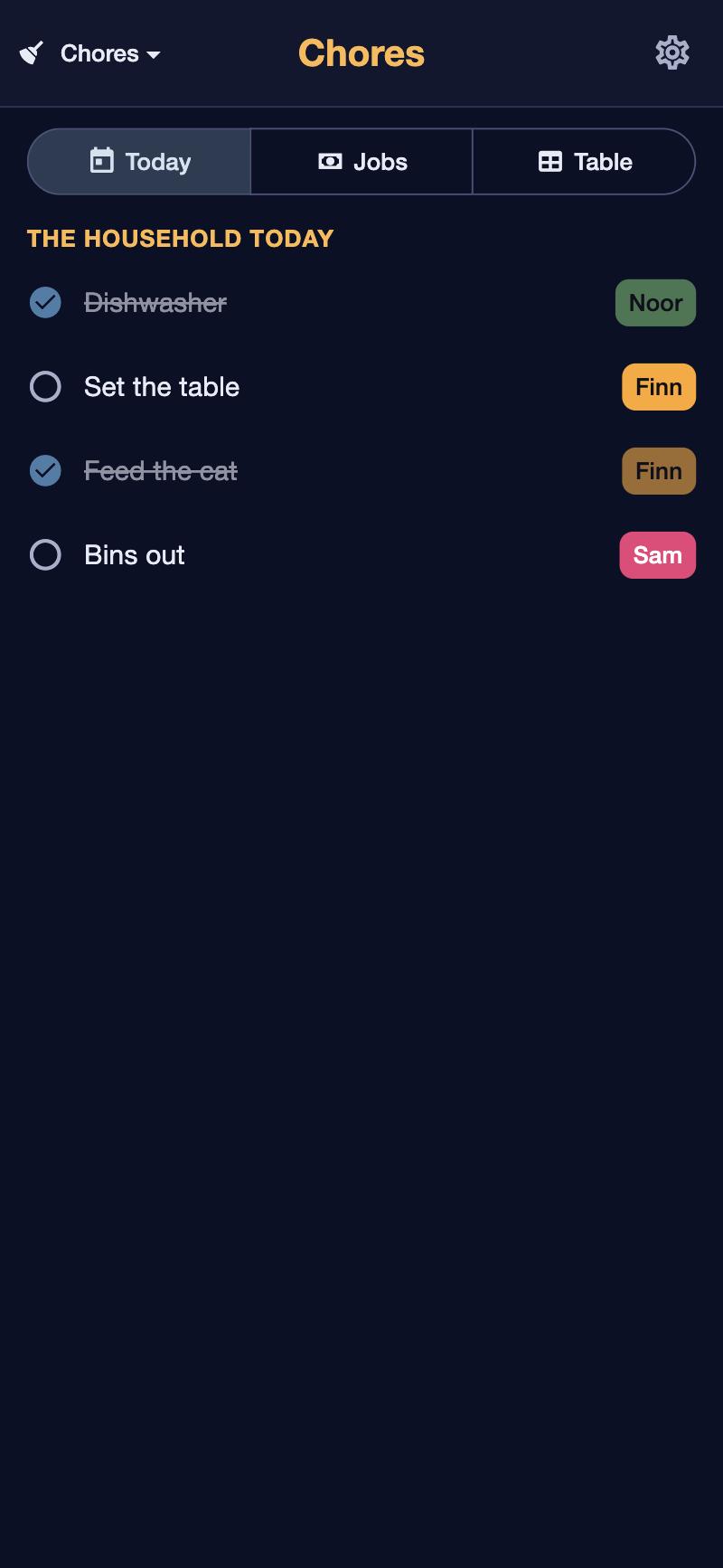
A column per chore, a row per weekday, a name in each cell. Tap a cell to choose who. Kids don't need an account: their chores show on the kitchen wall in their own colour, and they tick them off there.
- Today's chores per person, on the wall and in the app.
- Ticked off in the kitchen, with a tap. Only you can change the table.
- How many chores each kid did shows up in “Your week”.
Routines
The things you do every day, without thinking about them.
A routine is a short list for a part of the day: the morning, after school, the evening. Some steps are there every time, some only on certain days. Tick them off as you go; it starts fresh the next time.
- Steps that are always there, and steps only on some days (“gym bag on Tuesdays”).
- “Comes back until done”: a step you missed is there again next time, instead of simply gone.
- How long each step takes, if you like, so you see whether it fits.
- Steps for someone: “{member} feeds the cat” shows the name of the person it's for.
- A reminder at the time you choose.
Rotating over weeks
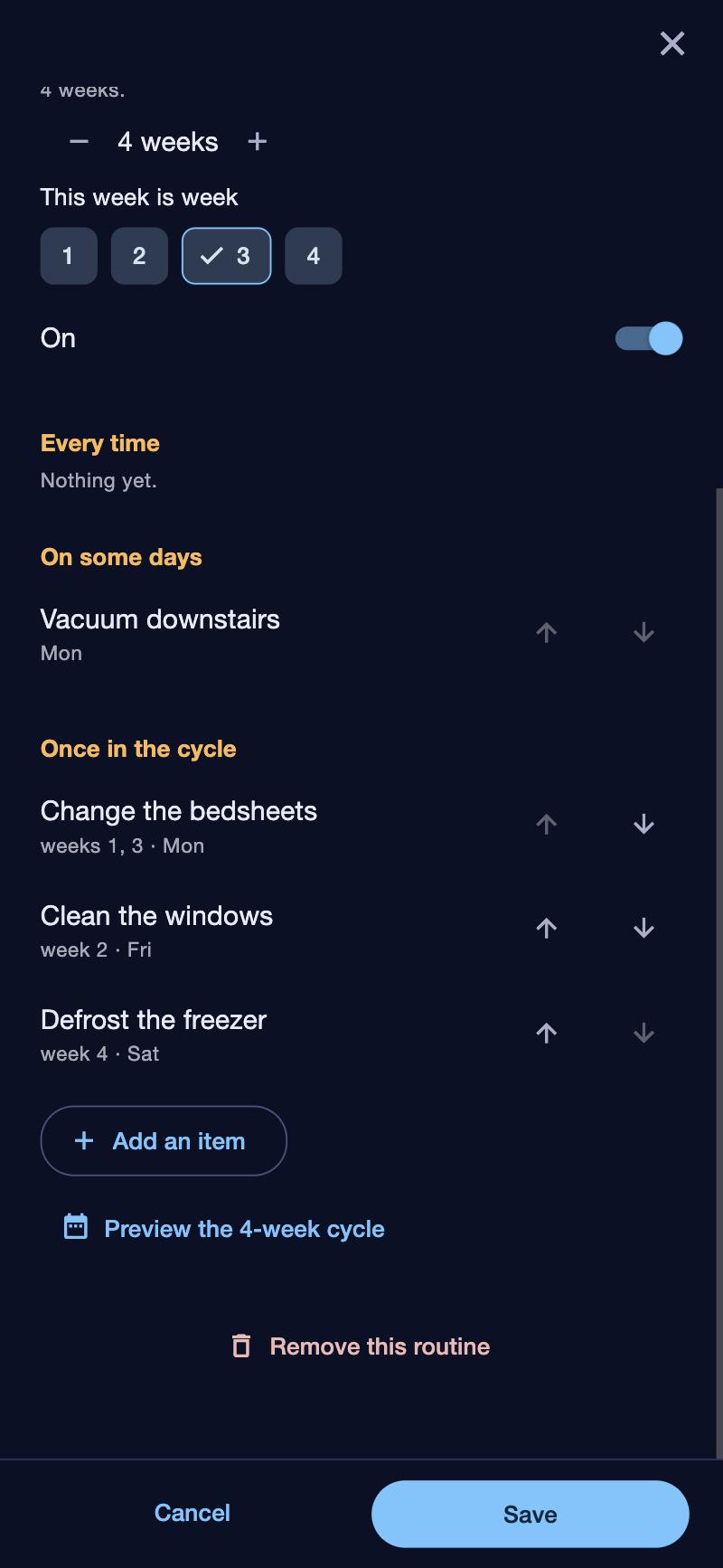
Bedsheets in week 1 and 3. Windows in week 2.
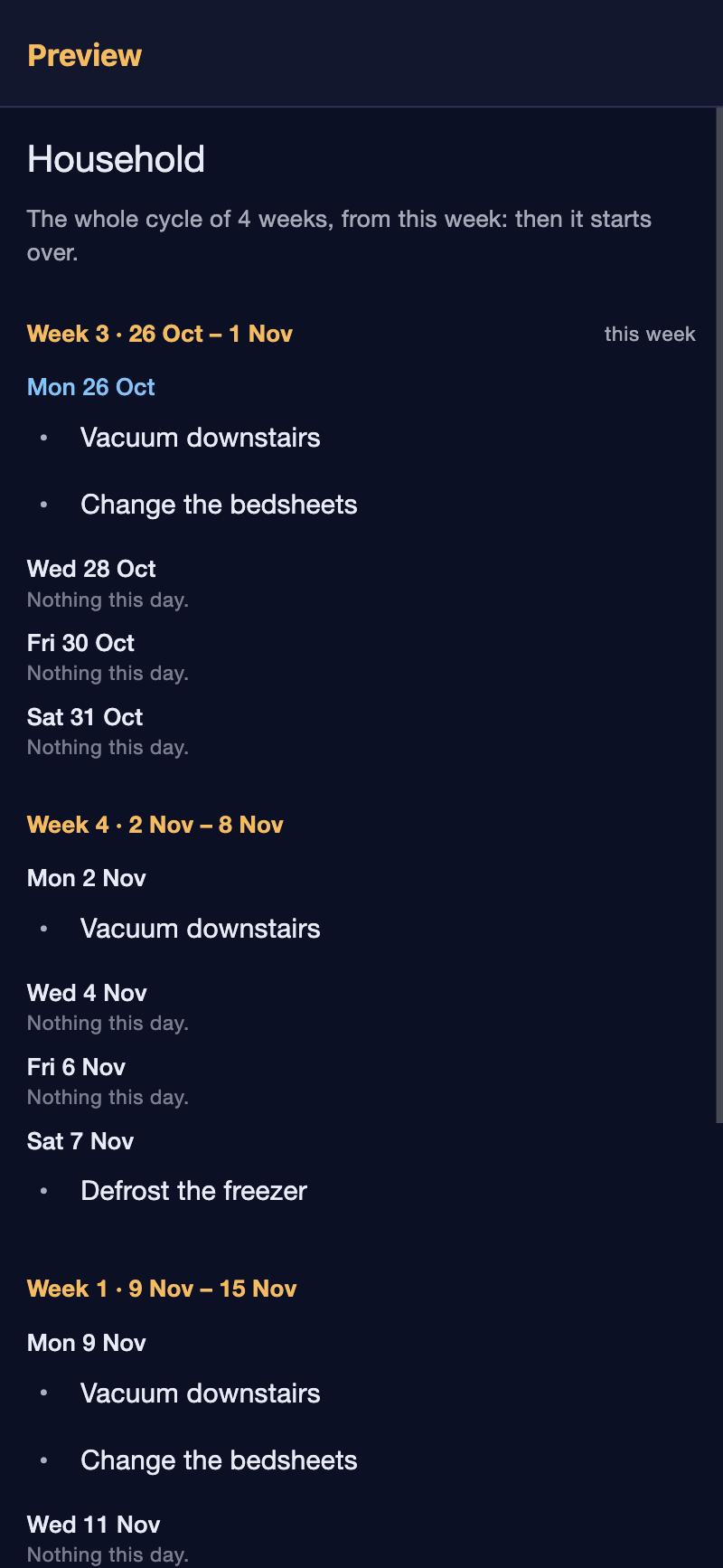
Some things don't happen every week. Give a routine a cycle of two, three or four weeks, and put each step in the weeks it belongs to. The app knows which week it is, so you don't have to.
- A step can be in one week of the cycle or in several.
- A preview of the coming weeks shows what lands when.
- Change the cycle any time: “this week is week 2”.
Paid jobs
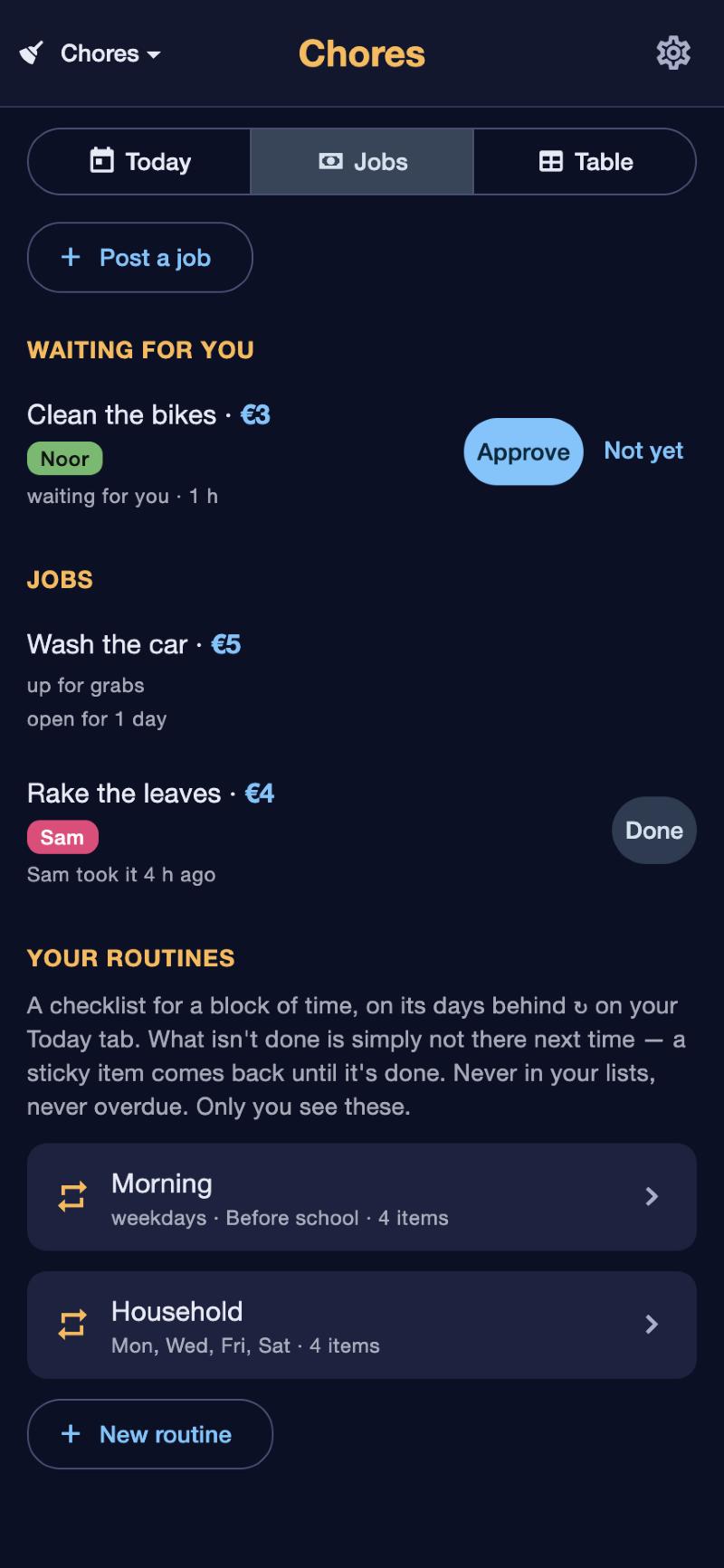
“Wash the car, €5.” The kids claim it themselves.
Post a job with a reward. With the kitchen remote by the wall (or in their own app) a kid taps “I'll do it”, and later “Done”. That lands in your Inbox to approve. Once you approve, you get a small task to transfer the money: nothing happens to money without you.
- You post, they claim, you approve: no arguing about who said they would.
- Not good enough yet? Send it back, with the job still theirs.
- Turn any of your own items into a job with one tap.
- See how long a job has been open, and what was paid in “Your week”.
Giving someone a task
Give a teenager a task, and both of you see it.
Assign one of your items to someone in the household who has their own login. They see it in their Today and can tick it off; you see when it's done. Everything else in their lists stays theirs.
- Only the person it's assigned to and you see it.
- They can tick it off; changing it stays with you.
Don't solve tomorrow today.
Want this at home?
Would this help your household? Tell us. It takes a minute, and it decides whether this gets built for everyone.